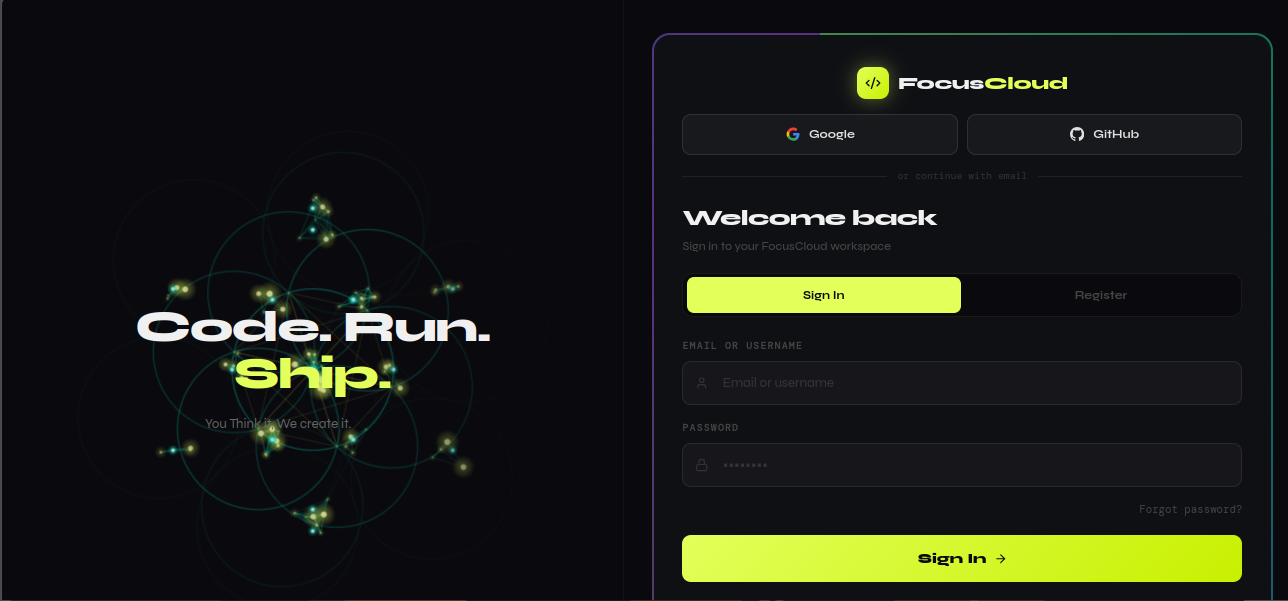
Category: Artificial Intelligence

  • Stop Losing Customers to Businesses That Are Already Online

    Stop Losing Customers to Businesses That Are Already Online


    Your Competitors Are Already Online. Are You?

    Right now, while you’re reading this, a salon down the road is taking bookings through its website at midnight. A repair shop across town is tracking every job card digitally. A WiFi hotspot owner is watching real-time revenue from her phone while she sleeps.

    And your potential customers? They’re choosing those businesses — not because they’re better — but because they’re easier to find and easier to use.

    The good news: you can catch up in the next 3 minutes.

    FocusCloud gives you everything you need to run your business professionally online — without writing a single line of code, without hiring a developer, and without spending months figuring out complicated software.

    Get started free at focuscloud.dev →


    What Exactly Is FocusCloud?

    FocusCloud is a platform that turns your business idea into a live, working web application — instantly.

    We’ve built 25+ ready-made business app templates, each one designed for a specific type of business. You pick your template, click Deploy, and within 3 minutes you have a fully working app with:

    ✅ Your own web address (yourapp.focuscloud.dev)
    ✅ Secure login for your team and clients
    ✅ A professional landing page your customers can visit
    ✅ Full data management — add, edit, delete records
    ✅ Mobile-friendly design that works on any device
    ✅ Bank-grade security protecting your business data

    No tech skills needed. No setup headaches. No monthly developer bills.


    Who Is This For?

    If you own a salon, spa or barbershop…

    Your clients are on their phones at 10pm deciding where to book tomorrow’s appointment. If they can’t book with you online, they’ll book with someone who lets them.

    The Booking System template gives you a public page where clients browse your services, pick a date and time, and confirm their appointment — no account needed, no back and forth on WhatsApp.

    You log in to your dashboard and see every booking, update the status, and manage your schedule from anywhere.

    “I used to miss bookings because I was with a client and couldn’t answer my phone. Now clients book themselves and I just show up.” — Salon owner, Kampala

    Deploy your Booking System now →


    If you run a WiFi hotspot business…

    Managing vouchers on paper is costing you money every single day — through theft, miscounting and customers who pay and then demand more time because “the paper got lost.”

    The Hotspot Manager template puts you in control:

    • Create voucher packages with custom data limits and expiry times
    • See every connected user and session in real time
    • Track daily and monthly revenue automatically
    • Block troublesome devices with one click
    • Manage multiple routers from a single dashboard

    Whether you have one hotspot or ten, this is the tool that takes your WiFi business from informal to professional — and from barely profitable to consistently earning.

    Hotspot businesses using management software report up to 40% reduction in voucher losses and fraud.

    Start managing your hotspot properly →


    If you’re a freelancer or consultant…

    Every day you send an invoice on WhatsApp is a day you look less professional than you actually are. Clients who receive polished invoices pay faster. Clients who get WhatsApp messages… sometimes don’t pay at all.

    The Invoice Manager template and Freelancer Portal give you:

    • Professional invoices with your branding, generated in seconds
    • Payment status tracking — see what’s paid, pending or overdue at a glance
    • Client management so all your contacts are organized in one place
    • Project tracking so nothing falls through the cracks

    Stop chasing payments. Start looking like the professional you are.

    Get your invoicing sorted today →


    If you run a school or training center…

    Fee collection on paper, attendance in registers, results in spreadsheets — it works until it doesn’t. One lost register. One disputed fee payment. One parent demanding records you can’t find quickly.

    The School Management System template handles:

    • Student enrollment and profile management
    • Fee tracking and payment records
    • Attendance monitoring
    • Academic results and report generation
    • Teacher management

    Your school looks more professional to parents. Your administrators spend less time on paperwork. And you have records you can actually trust.

    Modernize your school today →


    If you own a repair shop…

    How many times have you had a customer come in asking about their phone, and you had to search through a pile of papers to find their job card?

    The Repair Shop template gives every job a digital record:

    • Customer details and device information
    • Job status tracking (received → in progress → ready → collected)
    • Parts inventory management
    • Billing and payment records

    Your shop runs more smoothly. Customers trust you more. And you never lose track of a device again.

    Digitize your repair shop →


    If you manage a SACCO or cooperative…

    Member loans tracked in exercise books. Savings contributions recorded in ledgers. Interest calculated manually. This system breaks the moment your membership grows beyond a certain size — and it’s a compliance nightmare.

    The SACCO Manager template brings your cooperative into the modern era:

    • Member account management and profiles
    • Savings contribution tracking
    • Loan processing and repayment schedules
    • Financial reports you can actually present to members

    Your members trust you more when they can see their records clearly. Your committee has reports ready for every meeting. And you spend hours less on administration every month.

    Modernize your SACCO →


    If you run a shop or retail business…

    Every sale you record by hand is a sale you can’t analyze later. You can’t know which products sell fastest, which days are busiest, or whether you’re actually making money — because the data isn’t tracked.

    The POS System template gives you a complete point-of-sale system:

    • Process sales fast from any device
    • Inventory management with low-stock alerts
    • Daily and monthly revenue reports
    • Works on desktop, tablet or phone

    Know your business numbers. Make better decisions. Stop guessing.

    Get your POS running →


    The Full Template Library

    Every template deploys in under 3 minutes with full functionality, a landing page, secure login and mobile-responsive design.

    TemplatePerfect ForKey Feature
    📅 Booking SystemSalons, clinics, gyms, tutorsPublic booking without login
    📡 Hotspot ManagerWiFi business ownersVoucher creation & revenue tracking
    🧾 Invoice ManagerFreelancers, consultantsProfessional invoicing & payment tracking
    📊 CRM ProSales teams, agentsPipeline & deal management
    🏫 School ManagementSchools, training centersFees, attendance, results
    🔧 Repair ShopPhone & electronics repairJob cards & inventory
    🏦 SACCO ManagerCooperatives, savings groupsLoans & member accounts
    🛒 POS SystemRetail shops, restaurantsSales processing & inventory
    💼 Freelancer PortalIndependent professionalsClients, projects & invoices
    🏘️ Rental ManagerLandlords, property managersTenants & payment tracking
    📦 Inventory ManagerWarehouses, distributorsStock levels & supplier management
    🧠 Quiz BuilderTeachers, trainersCreate & share quizzes
    📅 Class ManagerGyms, driving schoolsScheduling & attendance
    🗂️ Kanban BoardProject teamsTask & workflow management
    📝 Proposal BuilderAgencies, consultantsProfessional proposals
    🎫 Support TicketsCustomer service teamsIssue tracking & resolution
    💳 Subscription ManagerAnyoneTrack & manage subscriptions
    📅 Content CalendarSocial media managersContent planning & scheduling
    ✅ Task ManagerIndividuals & teamsPriorities & deadlines
    💰 Budget TrackerIndividuals & businessesIncome & expense tracking
    🔗 Link in BioCreators, influencersPersonal link hub
    🏠 Life AdminIndividualsPersonal organization hub

    Why Choose FocusCloud Over Building From Scratch?

    Hiring a DeveloperGeneric SoftwareFocusCloud
    Time to launch3–6 monthsDays to weeks3 minutes
    Cost$2,000–$20,000+$50–$500/monthFree to start
    CustomizableYes (expensive)LimitedYes, built-in IDE
    OwnershipDependsNoYou own your data
    Tech skills neededNoSomeNone
    Built for your industrySometimesRarelyAlways

    What Happens When You Deploy

    Here’s exactly what you get the moment your app goes live:

    1. A public landing page Your customers see a professional page explaining your service — before they even log in. They can browse, understand what you offer, and take action.

    2. Login and registration Your team logs in securely. Customers can create accounts or — for templates like Booking — use your app without creating an account at all.

    3. A full management dashboard Add records, track data, view reports, manage your operation from anywhere.

    4. Your own web address Your app lives at yourapp.focuscloud.dev. You can also connect a custom domain you already own.

    5. Security built in Rate limiting, SQL injection protection, encrypted connections and secure authentication — all configured automatically.


    Beyond Templates: Build Any App You Can Imagine

    If our templates don’t match your exact needs, Vibe Coding lets you describe any app in plain English and we build it for you automatically.

    Type something like:

    “A delivery tracking app where riders mark jobs as collected, in transit and delivered, and managers see everything on a live dashboard”

    Our AI generates the full application — database, API, frontend — and deploys it live. This is the power of a development team, available to anyone, at a fraction of the cost.


    Pricing That Makes Sense

    FocusCloud starts free. No credit card required. You get a real, working app — not a trial or a mockup.

    Paid plans unlock more projects, more storage, faster deployments and AI tokens for Vibe Coding. Every plan is priced for real businesses in Africa and beyond — not Silicon Valley startups.

    See current pricing →


    Start Today — Your Business Can’t Wait

    Every day your business isn’t online is a day your competitors are gaining ground.

    The businesses that succeed in the next 5 years won’t necessarily be the ones with the best products. They’ll be the ones that are easiest to find, easiest to use, and most professional in how they operate.

    FocusCloud gives you that professionalism — in 3 minutes, for free.

    Deploy your first app now at focuscloud.dev →


    Frequently Asked Questions

    How long does it take to get started? Under 5 minutes. Sign up, pick a template, click Deploy. Your app is live.

    Do I need technical skills? None at all. If you can use WhatsApp, you can use FocusCloud.

    What if I need something the templates don’t cover? Use Vibe Coding to describe what you need and our AI builds it for you.

    Can my customers use the app without creating an account? Yes — templates like Booking let customers interact without signing up.

    Is my data safe? Yes. Your data is stored in an isolated database dedicated to your project. We use industry-standard security on every app.

    Can I edit the app after deploying? Yes. Every app comes with a built-in code editor if you want to make changes.

    What if I already have a domain name? You can connect your custom domain to your FocusCloud app.

    Is there a free plan? Yes. Sign up and deploy your first project free — no credit card needed.


    Join Thousands of Businesses Already Running on FocusCloud

    From WiFi hotspot owners in Jinja to freelancers in Nairobi, from schools in Mbarara to repair shops in Lagos — businesses across Africa and beyond are choosing FocusCloud to go digital fast, stay professional, and grow.

    Your business deserves to be online. Start today.

    Get started free → focuscloud.dev


    FocusCloud — Build & Deploy Business Apps in Minutes
    focuscloud@focuscloud.dev | focuscloud.dev
    Available 24/7. Deploy from anywhere. Own your data.

    Meta Title: Launch Your Business App in Minutes — FocusCloud Templates | No Coding Required
    Meta Description: Get your business online today with FocusCloud’s 25+ ready-made app templates. Booking systems, CRM, POS, invoicing, school management and more. Deploy in 3 minutes. Free to start.
    Keywords: business app templates, no-code app builder Uganda, online booking system Africa, CRM software small business, hotspot manager software, invoice software freelancers, school management system, SACCO software, POS system small business, deploy business app free
  • Launch Your Business App in Minutes: A Complete Guide to FocusCloud Templates

    Launch Your Business App in Minutes: A Complete Guide to FocusCloud Templates


    What Are FocusCloud Templates?

    If you’ve ever wished you could launch a professional business app without hiring a developer or spending months learning to code, FocusCloud templates are built exactly for you.

    FocusCloud is a cloud-based platform that lets anyone — from a salon owner in Kampala to a school administrator in Nairobi — deploy a fully functional web application in under 5 minutes. Our growing library of 25+ ready-made templates covers virtually every business type, and each one comes with everything you need out of the box.

    No coding. No complicated setup. Just your business, online.


    Why Use FocusCloud Templates?

    Every template on FocusCloud includes:

    • A beautiful public landing page so your customers can find and use your app
    • Secure login and registration for your team and clients
    • Full CRUD functionality — create, read, update and delete records
    • Mobile-responsive design that works on any device
    • Your own subdomain (yourapp.focuscloud.dev) from day one
    • Rate limiting and security headers built in to protect your data

    The Full Template Library

    💼 Business & Finance

    CRM Pro — Track your leads, customers, deals and pipeline in one place. Perfect for sales teams, agents and anyone managing client relationships. Features include contact management, deal tracking, pipeline stages and revenue reporting.

    Invoice Manager — Create and send professional invoices to clients in seconds. Track paid, pending and overdue payments. Built for freelancers, consultants and small businesses tired of sending invoices on WhatsApp.

    Freelancer Portal — A complete business management hub for independent professionals. Manage your clients, projects, invoices and time tracking from a single dashboard.

    Proposal Builder — Create and send professional business proposals to potential clients. Close deals faster with a polished, branded proposal every time.

    Budget Tracker — Take control of your personal or business finances. Track income, expenses and savings goals with clear visual reports.


    📅 Bookings & Scheduling

    Booking System — Let your clients book appointments online without calling or texting. They browse your services, pick a date and time, and confirm — no account needed. Perfect for salons, clinics, gyms, tutors and any appointment-based business.

    Class Manager — Schedule and manage classes, track student attendance and handle payments. Built for driving schools, gyms, dance studios, tutoring centers and training providers.


    🛒 Retail & Inventory

    POS System — A full point-of-sale system for processing sales, managing inventory and tracking daily revenue. Works on any device — desktop, tablet or phone.

    Inventory Manager — Track stock levels, manage suppliers, process orders and get low-stock alerts before you run out.


    📡 Technology & Connectivity

    Hotspot Manager — The must-have tool for WiFi hotspot business owners. Create and sell vouchers, monitor connected users, track revenue and manage multiple routers from one dashboard. Connecting Lives.


    🏫 Education

    School Management — A complete school administration system covering student enrollment, fee management, attendance tracking, results and teacher management.

    Quiz Builder — Create engaging quizzes and share them with students via a unique code. Track scores, progress and performance across your class.


    🏢 Community & Organizations

    SACCO Manager — Built specifically for savings and credit cooperatives. Manage member accounts, process loans, track savings contributions and generate financial reports.

    Support Tickets — Manage customer support requests efficiently. Assign tickets, track status, set priorities and resolve issues faster.

    Content Calendar — Plan and schedule your content across channels. Perfect for social media managers, content creators and marketing teams.


    🏘️ Property & Assets

    Rental Manager — Track your rental properties, tenants, payment schedules and maintenance requests in one system. Know who has paid and who hasn’t at a glance.

    Repair Shop — Run your repair business professionally. Create job cards for every device, track parts and inventory, manage customer pickups and generate billing.


    🔧 Other Templates

    Task Manager — Organize your work, set priorities and track progress on personal and team projects.

    Kanban Board — Visualize your workflow with drag-and-drop cards. Popular with product teams, developers and project managers.

    Life Admin — A personal organization hub for managing tasks, bills, goals and important documents in one place.

    Link in Bio — Create your personal hub page with all your social links, contact info and content in one shareable URL.

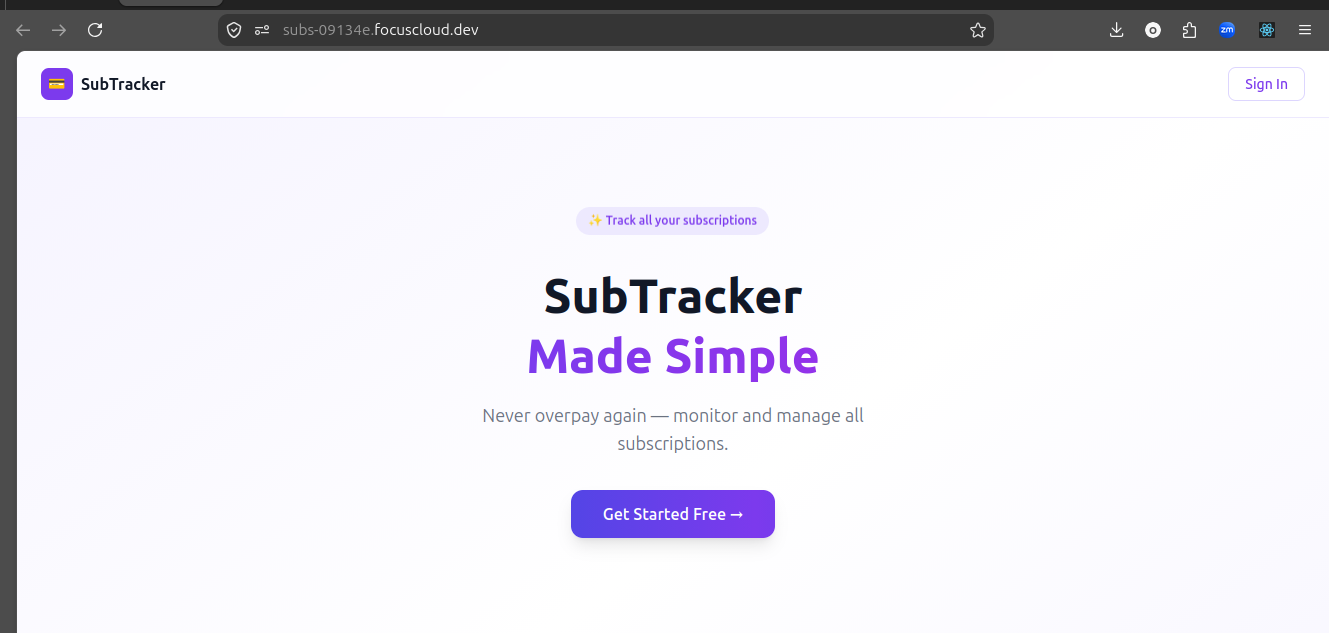
    Subscription Manager — Track every subscription you pay for — never get surprised by a charge again. Monitor your total monthly spend and set renewal reminders.


    How to Get Started in 5 Minutes

    Getting your business online with FocusCloud is straightforward:

    Step 1 — Create your account Go to focuscloud.dev and sign up for free. No credit card required.

    Step 2 — Create a new project From your dashboard, click New Project and select App Templates.

    Step 3 — Choose your template Browse the template library and pick the one that matches your business. Each template shows you exactly what features are included.

    Step 4 — Deploy Click Deploy. FocusCloud sets up your database, builds your app and gives you a live URL — all in under 3 minutes.

    Step 5 — Share your link Your app is live at yourapp.focuscloud.dev. Share it with your customers, team or clients and start using it immediately.


    Who Is FocusCloud For?

    FocusCloud templates are designed for:

    • Small business owners who need professional tools without enterprise prices
    • Freelancers and consultants who want to look more professional to clients
    • Schools and training centers that need management tools without a full IT team
    • WiFi hotspot owners managing vouchers, users and revenue
    • SACCOs and cooperatives needing member and loan management
    • Repair shops and service businesses wanting to digitize their operations
    • Landlords and property managers tracking tenants and payments

    Beyond Templates: Vibe Coding

    If none of our templates match exactly what you need, FocusCloud’s Vibe Coding feature lets you describe your app in plain English and we build it for you automatically.

    Simply type something like:

    “A delivery tracking app where riders can update job status and customers can see where their order is”

    FocusCloud’s AI generates the full application — database, backend API, frontend UI — and deploys it live in minutes.


    Pricing

    FocusCloud offers a free plan to get started. Paid plans unlock more projects, more deployments, larger storage and AI tokens for Vibe Coding.

    Visit focuscloud.dev/pricing to see current plans.


    Frequently Asked Questions

    Do I need to know how to code? No. Templates are fully built and ready to deploy. You just pick, deploy and use.

    Can I customize the app after deploying? Yes. FocusCloud includes a built-in cloud IDE where you can edit the code directly if you want to make changes.

    What happens to my data? Your data is stored in a dedicated PostgreSQL database isolated to your project. We take security seriously — all apps include rate limiting, SQL injection protection and encrypted connections.

    Can my customers use the app without an account? Yes — templates like the Booking System let your customers book appointments without creating an account.

    Is there a free trial? Yes. Sign up at focuscloud.dev and start with a free project — no credit card required.


    Start Today

    Your business deserves professional tools. Stop managing everything on WhatsApp and Excel spreadsheets.

    Get started free at focuscloud.dev →


    FocusCloud — Build & Deploy Business Apps in Minutes focuscloud@focuscloud.dev | focuscloud.dev

  • Chat With Your Code: How FocusCloud’s AI Assistant Actually Works

    Chat With Your Code: How FocusCloud’s AI Assistant Actually Works

    Chat with your code

    Stop googling. Start asking.


    The Problem With How We Learn to Debug

    You are three hours into a bug. You have read five Stack Overflow threads, two GitHub issues and a 2019 blog post that almost answers your question. The answers are close but not quite right because they do not know your code, your setup or what you are trying to do.

    This is the standard developer experience. FocusCloud was built to change it.


    What “Chatting With Your Code” Actually Means

    When you open the AI Assistant in FocusCloud and ask a question, something different happens compared to asking ChatGPT or Copilot.

    The AI does not just answer based on general knowledge. It reads your actual files first.

    It knows:

    • What your database schema looks like
    • What routes your Express server has
    • What components your React frontend renders
    • What environment variables you have configured
    • What errors your app is throwing

    So when you ask “why is my login not working”, the AI is not guessing. It has read your auth.js, your schema.ts, your login form in App.tsx and it knows exactly what is happening. That is the difference between a general AI assistant and one that understands your specific project.


    How to Use the AI Chat

    Opening the Assistant

    1. Open any project in the FocusCloud IDE
    2. Click the AI Assistant tab at the top
    3. Make sure Chat is selected (not Vibe)
    4. The text box at the bottom says “Ask about your code…”

    You are now talking directly to an AI that has read your project.

    What You Can Ask

    Explain code

    “Explain what this route does” “What does the schema.ts file define?” “Walk me through how authentication works in this app”

    The AI reads the relevant files and explains them in plain English. No jargon unless you want it. Useful for onboarding new team members or understanding code you did not write.

    Debug problems

    “My API is returning 500 errors on the /api/users route” “The form is submitting but nothing is saving to the database” “Users are getting logged out randomly”

    The AI checks your route handlers, database schema, middleware and frontend code to find the issue. It explains what is wrong and shows you exactly how to fix it.

    Write new code

    “Write a function that sends a welcome email when a user registers” “Add a search feature to the products table” “Create a route that returns all orders from the last 30 days”

    The AI writes the code in your actual file structure, using your existing imports, naming conventions and patterns. Not generic code — code that fits your project.

    Refactor and improve

    “This function is hard to read. Can you clean it up?” “Is there a faster way to do this database query?” “This component re-renders too often. Why?”

    The AI reads the specific file and suggests improvements with before and after examples.

    Add features

    “Add dark mode support to the app” “Add pagination to the users list” “Add input validation to the registration form”


    The “Apply” Button: From Answer to Code in One Click

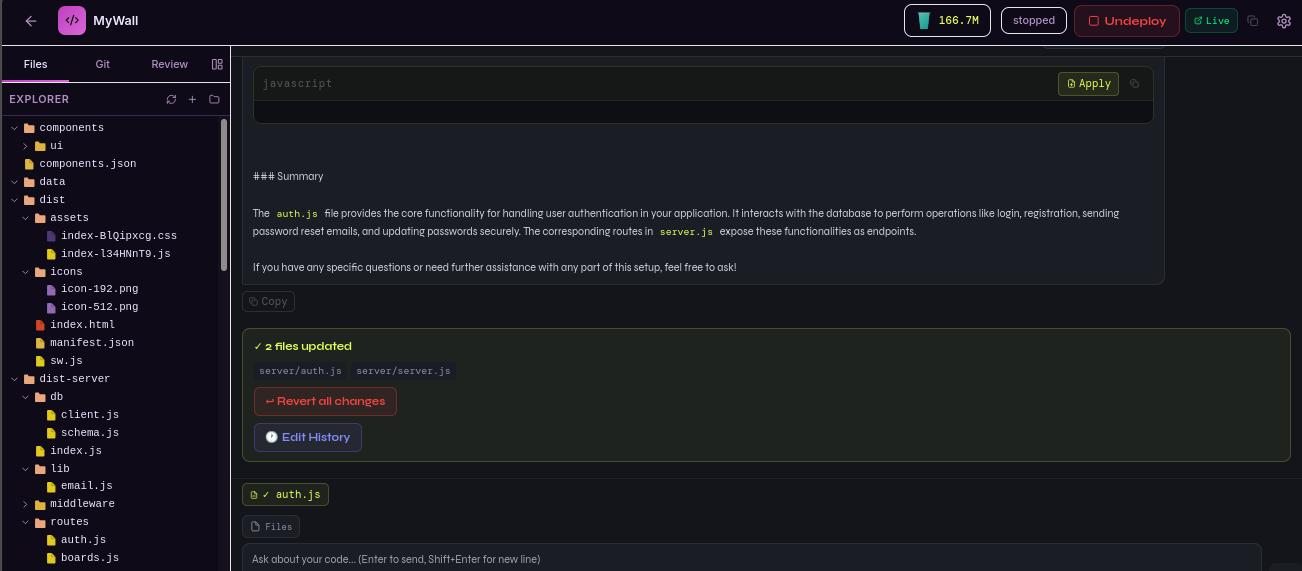
    When the AI gives you code in a response, you will see a small Apply to [filename] button on the code block. Click it and the code is inserted directly into the correct file. No copying, no pasting, no finding the right place to put it.

    This is what makes the chat feel less like a conversation and more like pair programming with a developer who types faster than anyone you have ever met.


    Selecting Files for Context

    By default the AI reads all your project files. But you can focus it on specific files using the Files button next to the chat input.

    Click Files, select one or more files, and the AI will pay particular attention to those files when answering. Useful when you have a large project and want precise answers about a specific feature.


    How It Works Under the Hood

    When you send a message in the AI chat, FocusCloud:

    1. Reads your project files — it scans your codebase and selects the most relevant files based on your question
    2. Builds context — it includes those files along with your message
    3. Sends to AI — the request goes to FocusCloud’s own AI infrastructure, not to OpenAI or any third party
    4. Streams the response — you see the answer appear word by word in real time
    5. Tracks tokens — each exchange uses AI tokens from your monthly balance (visible in the top bar)

    The critical point is step 3. Your code stays on FocusCloud’s servers. It never goes to external AI companies. For freelancers handling client code, agencies building proprietary software and enterprises with compliance requirements, this matters enormously.


    Chat vs Vibe: What Is the Difference?

    The AI Assistant has two modes. Understanding when to use each saves a lot of time.

    Chat mode is for:

    • Questions and explanations
    • Debugging specific problems
    • Writing individual functions or components
    • Making targeted changes to existing code
    • Understanding how something works

    Vibe mode is for:

    • Generating an entire app from scratch
    • Adding a major new feature (a whole authentication system, a complete dashboard section)
    • Rebuilding or restructuring large parts of your app

    Think of Chat as talking to a developer sitting next to you. Think of Vibe as briefing a developer to go away and build something new and come back with the whole thing done.


    Real Examples of What Users Ask

    A freelancer building a client project:

    “The client wants to add a loyalty points system. How would I add this to the existing users table and what routes would I need?”

    The AI reads the existing schema, suggests the database changes, writes the migration, creates the routes and explains how the frontend should call them.

    A founder without a technical background:

    “I do not understand why the booking form only works sometimes. Can you look at it?”

    The AI reads the booking form component, the API route it calls and the database handler. It finds a race condition in the async code and explains it in plain English before fixing it.

    A developer onboarding to a new codebase:

    “I just opened this project. Can you give me a tour of how it is structured?”

    The AI reads the file tree, the main entry points, the database schema and the key routes. It gives a structured overview in under a minute — something that would take an hour of reading manually.

    A student learning to code:

    “Why does this function return undefined even though I can see the value in the console?”

    The AI identifies a missing return statement and explains the concept of return values, why this is a common mistake and how to avoid it in future.


    Tips for Better AI Conversations

    Be specific about what you want. “Fix my app” is too broad. “The login button does nothing when clicked and there are no console errors” gives the AI something concrete to work with.

    Mention the file or feature when you know it. “In the auth.js file, the forgot password route…” helps the AI focus on the right place immediately.

    Ask follow-up questions. The AI remembers your conversation. If its first answer is not quite right, say “that did not work — here is what happened” and it adjusts.

    Use it for learning, not just doing. Ask the AI to explain why a solution works, not just what the solution is. You will write better code faster over time.

    Ask for alternatives. “Is there another way to do this?” often surfaces a simpler or more efficient approach you would not have thought of.


    The Result: Fewer Hours Lost, More Apps Shipped

    The developers and founders who use FocusCloud’s AI chat most effectively describe the same experience: problems that used to take hours now take minutes. Not because the AI is magic, but because having something that understands your specific code and answers specific questions is vastly more useful than anything general-purpose.

    Your code is in the IDE. The AI is in the same IDE. Ask it anything.


    Try it free at focuscloud.dev

    FocusCloud Systems Inc. | support@focuscloud.dev | You Think it, We Create it.

  • How to Use FocusCloud: A Complete Step-by-Step Guide

    How to Use FocusCloud: A Complete Step-by-Step Guide

    The cloud IDE that lets you build, deploy and ship full-stack apps — all from your browser


    Introduction

    FocusCloud is a cloud development platform that gives you a complete coding environment in your browser. No installations. No configuration. No DevOps headaches. Whether you are a seasoned developer wanting zero-setup productivity, or a founder who wants to ship an app without hiring a team, this guide walks you through every feature from start to finish.


    Getting Started

    Step 1: Create Your Account

    1. Go to focuscloud.dev
    2. Click Get Started Free or Register
    3. Fill in your name, email and password — or sign up with Google or GitHub in one click
    4. You are automatically placed on the Starter plan (free, no credit card required)
    5. You land on your Dashboard

    Tip: The first user to register on any FocusCloud template app automatically becomes the admin. Keep your credentials safe.


    Step 2: Understand Your Dashboard

    Your Dashboard is your home base. It shows:

    • Your Projects — all your code projects and deployed apps
    • Template Cards — 15 pre-built apps you can deploy instantly
    • Token Balance — how many AI tokens you have left this month
    • Quick Actions — create a new project or deploy a template

    The left sidebar gives you quick access to settings, billing, and documentation.


    Feature 1: The Cloud IDE

    Creating Your First Project

    1. Click New Project on the Dashboard
    2. Give your project a name (e.g. “my-portfolio”)
    3. Choose a runtime: Node.js, Python, Go, Rust, PHP, Java, and more
    4. Click Create Project
    5. Your project opens in the IDE instantly

    The IDE Layout

    The FocusCloud IDE has four main sections:

    Left Panel — File Explorer

    • Browse, create, rename and delete files and folders
    • Click any file to open it in the editor
    • Right-click for a context menu

    Centre — Code Editor

    • Powered by Monaco (the same engine as VS Code)
    • Full syntax highlighting for 50+ languages
    • IntelliSense autocomplete
    • Find and replace, multi-cursor editing, keyboard shortcuts

    Top Bar

    • Files tab — file explorer
    • Git tab — version control
    • Review tab — AI code review
    • AI Assistant tab — chat with AI about your code
    • Database tab — view and manage your database
    • Time Travel tab — restore previous versions
    • Preview tab — live preview of your running app

    Bottom Panel

    • Terminal output and logs
    • Run button to execute your app

    Writing and Running Code

    1. Click Create first file or the + button in the explorer
    2. Name your file (e.g. index.js)
    3. Write your code in the editor
    4. Click Run (or press the play button)
    5. Output appears at the bottom of the screen

    Viewing App Output

    FocusCloud provides full real-time output for your running apps. Every console.log, error message and server log appears in the output panel at the bottom of the IDE. You can see exactly what your application is doing without needing a terminal.


    Feature 2: AI Assistant

    The AI Assistant is your built-in coding partner. It reads your actual project files so it understands exactly what you are building.

    Chat Mode

    1. Click AI Assistant in the top tab bar
    2. Make sure Chat is selected (not Vibe)
    3. Type any question about your code:
      • “Why is this function returning undefined?”
      • “How do I add authentication to my Express app?”
      • “Explain what this code does”
      • “Write a function that filters this array by date”
    4. The AI responds with explanations and code snippets
    5. Click Apply to [filename] on any code block to insert it directly into your file

    AI Code Review

    1. Click the Review tab
    2. Click Start Review
    3. The AI scans every file in your project
    4. It flags bugs, security issues, performance problems and style inconsistencies
    5. Each finding shows the exact file and line number
    6. Click any finding to jump to that location in your code

    Pro tip: Run a code review before every deployment to catch problems before your users do.


    Feature 3: Vibe Coding — Generate Full Apps with AI

    Vibe Coding is FocusCloud’s most powerful feature. Describe your app in plain English and the AI generates a complete full-stack application.

    How to Vibe Code

    1. Open any project and click AI Assistant
    2. Switch to Vibe mode (top right of the AI panel)
    3. Describe your app in the text box. Be specific:
      • “A task management app where users can create projects, add tasks with deadlines, assign them to team members, and track status”
      • “A restaurant booking system with table availability, customer reservations, staff management and email confirmations”
    4. Click Generate App
    5. The AI may ask 2-3 clarifying questions about your requirements — answer them
    6. Click Build it now
    7. Watch as the AI generates your complete app — frontend, backend, database schema, authentication, all in real time
    8. When complete, you see a list of all files written

    What Gets Generated

    Every Vibe-coded app includes:

    • React frontend with Tailwind CSS styling
    • Node.js + Express backend with REST API
    • PostgreSQL database with Drizzle ORM
    • Authentication — register, login, password reset, JWT tokens
    • CRUD operations for all your data entities
    • Error handling and loading states
    • Mobile responsive design

    Refining Your App

    After generation, you can keep chatting with the AI to make changes:

    • “Add a dark mode toggle”
    • “Make the dashboard show a chart of monthly sales”
    • “Add email notifications when a task is completed”
    • “Change the colour scheme to blue and white”

    Each change updates the relevant files without regenerating everything from scratch.


    Feature 4: Pre-Built Templates

    If you need a specific type of app, FocusCloud’s 15 production-ready templates get you there in under 60 seconds.

    Available Templates

    Free Templates (all plans)

    • Task Manager
    • Budget Tracker
    • Kanban Board
    • Link in Bio
    • Quiz Builder
    • Class Manager
    • Content Calendar
    • Booking System

    Pro Templates (Builder plan and above)

    • School Management System
    • Inventory Manager
    • Invoice Generator
    • CRM (Customer Relationship Manager)
    • Proposal Builder
    • Subscription Manager
    • Slides Presentation Tool

    Deploying a Template

    1. Go to your Dashboard
    2. Scroll to the Templates section
    3. Click on any template card
    4. Give your app a name (this becomes your subdomain)
    5. Click Deploy Template
    6. In under 60 seconds your app is live with:
      • Full authentication (register/login/password reset)
      • Database already set up
      • API endpoints ready
      • Live HTTPS URL

    Using Your Template App

    After deployment, visit your app URL and:

    1. Register — the first account is automatically the admin
    2. Log in with your credentials
    3. Start using all the features immediately
    4. Share the URL with your team, clients or users

    Feature 5: Database Sandbox

    Every FocusCloud project gets its own isolated PostgreSQL database.

    Viewing Your Database

    1. Click the Database tab in the IDE
    2. See all your tables listed on the left
    3. Click any table to browse its data
    4. Use the query editor to run custom SQL

    Database Auto-Setup

    When you use Vibe Coding or deploy a template, the database schema is automatically created and pushed. You never need to write migration scripts manually.

    Database Security

    Each project’s database runs in its own isolated container with its own credentials. Projects cannot access each other’s data.


    Feature 6: Git Integration

    FocusCloud has built-in Git so you can version control your code without leaving the browser.

    Using Git

    1. Click the Git tab in the IDE
    2. See all changed files listed
    3. Enter a commit message
    4. Click Commit
    5. Push to a connected GitHub/GitLab repository

    Connecting to GitHub

    1. Go to Settings in the sidebar
    2. Click Integrations
    3. Connect your GitHub account
    4. Select a repository to link to your project

    Feature 7: One-Click Deployment

    Every project can be deployed to a public HTTPS URL with one click.

    Deploying Your App

    1. Open your project in the IDE
    2. Click the Deploy button in the top right
    3. Wait 10-30 seconds while FocusCloud:
      • Builds your application
      • Sets up the server
      • Configures HTTPS
      • Creates your subdomain
    4. Click the Live button to open your deployed app

    Your app URL looks like: https://your-project-name-abc123.focuscloud.dev

    Managing Deployments

    • Click Undeploy to take your app offline (stops the server, saves resources)
    • Click Deploy again to bring it back
    • Your data and files are always preserved

    Custom Domains (Pro and Enterprise)

    Contact support to connect your own domain (e.g. app.yourbusiness.com) to your FocusCloud deployment.


    Feature 8: Time Travel

    Made a mistake? Time Travel lets you restore any previous version of your project.

    Using Time Travel

    1. Click the Time Travel tab
    2. Browse through your project’s history
    3. See exactly what changed in each version
    4. Click Restore to roll back to any point
    5. Your files are restored instantly — no data loss

    Feature 9: AI Code Review

    Get a professional code review in minutes, not days.

    Running a Code Review

    1. Click the Review tab
    2. Click Start AI Review
    3. The AI analyses every file for:
      • Security vulnerabilities
      • Performance bottlenecks
      • Code quality issues
      • Potential bugs
      • Best practice violations
    4. Review the findings panel
    5. Click any finding to jump to the exact line
    6. Click Fix with AI to automatically apply the suggested fix

    Feature 10: Collaboration

    Sharing Your Project

    1. Go to Settings in your project
    2. Click Collaboration
    3. Invite team members by email
    4. Set their role: Viewer, Editor, or Admin
    5. They receive an email invitation and can join your project

    Real-Time Editing

    Multiple users can work on the same project simultaneously. Changes appear in real time for all collaborators.


    Managing Your Account

    Token Usage

    AI tokens power the AI Assistant, Vibe Coding, and Code Review. You can see your current balance in the top bar of the IDE (the water glass icon — it empties as you use tokens).

    • Starter — 100K tokens/month
    • Builder — 1M tokens/month
    • Pro — 10M tokens/month
    • Enterprise — 50M tokens/month

    Tokens reset on your billing anniversary each month. Pro and Enterprise plans carry unused tokens forward (rollover).

    Upgrading Your Plan

    1. Click Settings in the sidebar
    2. Click Billing
    3. Choose your new plan
    4. Enter payment details (Stripe — secure, no card stored on FocusCloud servers)
    5. Upgrade takes effect immediately

    Top-Up Packs

    Need more tokens mid-month? Buy a top-up pack from the Billing page. Packs never expire and stack with your monthly allowance.


    Tips for Getting the Most from FocusCloud

    For Vibe Coding:

    • Be specific in your descriptions. More detail = better output
    • Include information about who will use the app and what they need to do
    • After generation, use Chat mode for smaller changes rather than regenerating
    • Review generated code with the AI Review feature before deploying

    For Templates:

    • Name your app something memorable — it becomes your subdomain
    • The first registered user is admin. Set up your account before sharing with others
    • Use the password reset flow to test your email setup

    For Developers:

    • The AI Assistant reads your files — ask it questions about your specific code, not generic questions
    • Use Code Review before every deployment
    • Connect GitHub to keep your code backed up off-platform

    For Teams:

    • Set up roles carefully — Admins can delete projects
    • Use Time Travel as your safety net when making big changes
    • The Enterprise plan includes priority support with faster response times

    Getting Help

    • Documentation: focuscloud.dev/docs
    • Email Support: support@focuscloud.dev
    • In-app AI: Ask the AI Assistant any question about using FocusCloud

    FocusCloud Systems Inc. | focuscloud.dev | support@focuscloud.dev

    You Think it, We Create it.